

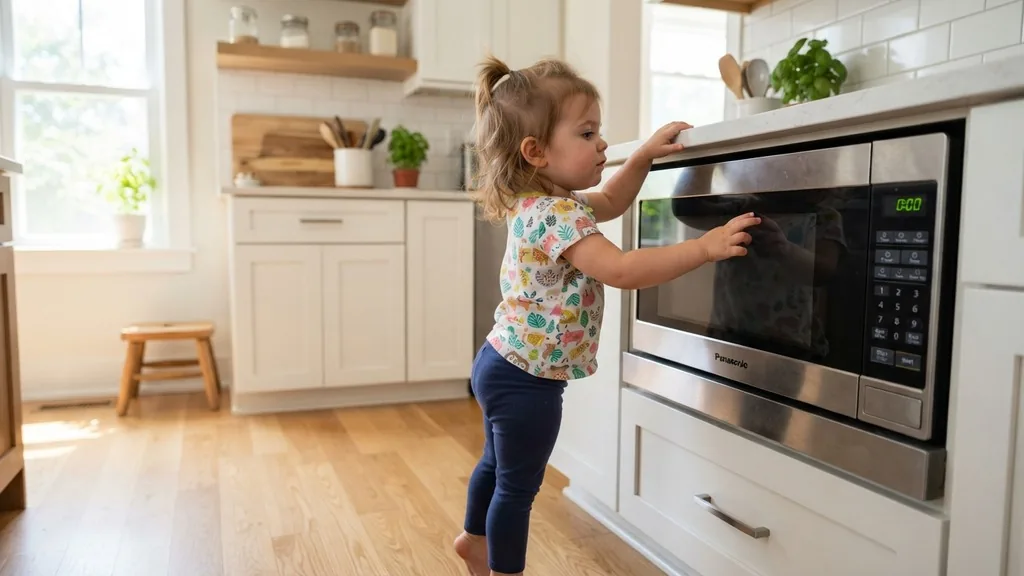
Finding your kitchen appliance unresponsive right when you need to heat up a meal can be a source of immediate frustration. If you are staring at a display that shows a mysterious symbol or simply refuses to accept any input, you are likely dealing with the child safety feature commonly found on many modern kitchen appliances.
Learning how to unlock child lock Panasonic microwave systems is a straightforward process, yet it remains one of the most frequently searched topics for owners of these high-quality cooking units. Whether you are dealing with a classic Genius model or a newer Inverter series, the mechanism designed to keep children safe can sometimes be triggered accidentally, leaving adults scratching their heads over why the keypad has gone dormant.
The Mechanics Behind the Panasonic Child Safety Feature
The child lock function on a Panasonic microwave is a sophisticated safety layer designed to prevent accidental operation of the unit. This feature is particularly useful in households with curious toddlers or young children who might be tempted to press buttons on the control panel.
When this safety mode is engaged, the microwave’s control panel becomes unresponsive to most commands. This means that pressing the start button, adjusting the timer, or selecting a power level will result in no action, effectively preventing the microwave from heating or activating its magnetron.
From an engineering perspective, this feature acts as a software-based gatekeeper. When the lock is active, the internal microprocessor ignores all signals sent from the keypad interface, except for the specific sequence required to disengage it. This is why a simple power cycle or unplugging the unit often fails to resolve the issue; the setting is stored in the appliance’s non-volatile memory.
Understanding that this is a deliberate design choice rather than a malfunction is the first step toward fixing the issue. By recognizing the locked door or unresponsive keypad as a feature rather than a failure, you can approach the solution with confidence, knowing your appliance is likely in perfect working order.
How to Identify if Your Microwave is Locked
Before attempting to resolve the situation, it is crucial to confirm that you are indeed dealing with an active lock function and not a mechanical or electrical failure. Most Panasonic models provide clear indicators when the child safety feature is active.
The most common sign is a specific message on the LED display, often reading “Child” or showing a small lock icon. In some cases, the display might simply remain dark or show a colon that does not respond to any touch commands.
If the display is completely blank, the issue might be different, such as a tripped circuit breaker or a faulty power cord. However, if the clock is visible but the start button does not initiate a cooking cycle, you are almost certainly looking at a locked interface. Pay attention to any beeps or visual cues when you attempt to press buttons.
A repetitive, sharp beep—often called an error tone—is a classic sign that the processor is receiving your input but is programmed to reject it due to the active security state. Once you have verified that the unit is receiving power but refusing to start, you can proceed to the standard unlocking procedures.
Step-by-Step Guide to Disengaging the Lock
To unlock your Panasonic microwave, you generally need to interact with the “Start” or “Stop/Reset” buttons in a specific pattern. For the vast majority of Panasonic Inverter and Genius series microwaves, the process involves a simple sequence. You should locate the “Stop/Reset” button on your control panel.
Once you have identified it, press and hold this button for three to five seconds. In many cases, you will hear a beep, and the “Child” indicator on the display will disappear, signaling that the unit is ready for use.
If that standard method does not work, try the “Start” button instead. On some models, the lock is disengaged by pressing the “Start” button three times in rapid succession. This sequence is designed to be difficult for a child to replicate but easy for an adult to execute.
It is important to perform these inputs with consistent pressure. If you are struggling, ensure that your fingers are clean and dry, as moisture can sometimes interfere with the capacitive touch sensors found on more modern, glass-fronted models. If the keypad remains unresponsive after several attempts, ensure the unit unplugged for a full minute to allow the capacitors to discharge, then try the sequence again upon plugging it back in.
Variations Across Different Model Generations
Not all Panasonic microwaves are built with the same interface. While the “Stop/Reset” hold method is the industry standard, some older or highly specialized units may require a different combination.
For instance, some units with a physical “Open” button might require that button to be pressed in conjunction with the timer dial. The following table provides a quick reference for common unlocking patterns based on typical Panasonic product design:
| Model Type | Primary Unlock Method | Secondary Method |
|---|---|---|
| Standard Inverter | Press and hold Stop/Reset (3s) | Press Start 3 times |
| Genius Touch Control | Hold Start/Set for 5 seconds | Hold Clock/Timer button |
| Older Dial Models | Rotate dial to zero | Press Stop/Reset twice |
Troubleshooting When the Keypad Remains Unresponsive
If you have tried the standard sequences and the appliance still refuses to operate, you may be facing a more persistent issue. Occasionally, the control board can become “stuck” in a state that requires a hard reset. Start by ensuring the microwave is properly plugged into the wall outlet.
If the unit has a digital display that is currently lit, the power supply is intact. However, if the control panel has suffered a minor electrical surge, it might have locked itself as a protective measure.
In such cases, unplugging the microwave from the wall for at least ten minutes is the most effective way to clear the memory. This allows the internal logic board to dump any temporary errors. While the unit is disconnected, take a moment to inspect the door open mechanism.
Sometimes, a latch that is not perfectly aligned can prevent the microwave from starting, which users often mistake for a child lock issue. Ensure that the door closes firmly and that the latch engages the microswitch correctly. If the door does not click shut, the microwave will never initiate a heating cycle, regardless of whether the child lock is active or disabled.
You can find more information on general appliance maintenance at the U.S. Consumer Product Safety Commission website regarding kitchen safety and proper usage.
Common Mistakes to Avoid During the Unlock Process
One of the most common mistakes users make when trying to unlock their Panasonic microwave is rushing the input sequence. The internal processor requires a clean signal to register the command.
If you press the buttons too quickly or with uneven pressure, the microwave may interpret your attempt as a random input rather than a deliberate command to disengage unit functions. Always aim for firm, steady presses.
Another error involves ignoring the visual cues. If you are holding the “Stop/Reset” button, keep your eyes on the display. Often, the “Child” text will blink before it disappears.
If you release the button too early, the lock will remain engaged. Additionally, avoid using any cleaning agents directly on the control panel while trying to unlock it.
Harsh chemicals or excessive moisture can cause the touch sensors to malfunction, leading to ghost touches that might keep the lock active. Stick to a dry, microfiber cloth to clean the interface before attempting the unlock sequence again.
Addressing Topical Gaps: When to Call a Technician
While most lock-related issues are user-friendly, there are instances where the control panel may have suffered a genuine hardware failure. If you have followed all the steps to unlock the unit and the keypad still does not respond—or if the screen displays a cryptic error code like “H97” or “H98″—you are likely dealing with an internal component failure rather than a child lock status. These specific error codes indicate issues with the inverter circuit or the magnetron itself.
It is also worth noting that if your microwave’s door sensor is faulty, the unit may behave as if it is locked because it cannot verify that the door is safely closed. If you notice that the interior light does not turn on when you open the door, or if the turntable does not rotate, the issue is almost certainly mechanical. In these scenarios, attempting to force the unlock sequence will yield no results.
For complex internal repairs, it is always best to contact an authorized service center. Panasonic appliances are built with high-voltage components that are extremely dangerous to handle for those without proper training. If you have exhausted all troubleshooting steps for the child lock and the unit remains unresponsive, professional repair is the only safe path forward.
FAQ: Frequently Asked Questions
Why does my Panasonic microwave keep locking itself?
Some models are programmed to engage the child lock automatically if the microwave remains idle for a specific period after being plugged in or if a certain button combination is accidentally brushed. Check your user manual to see if your specific model has an “auto-lock” feature enabled.
Will I lose my programmed settings if I unplug the microwave to unlock it?
Yes, unplugging the unit will typically reset the clock and any quick-start memory settings. However, it will not erase the core safety programming. If you find that the lock persists even after a power cycle, the issue is likely a persistent software flag that requires the specific button sequence to clear.
Is there a master code to unlock all Panasonic microwaves?
There is no universal “master code” because different model generations use different software logic. The “Stop/Reset” hold method is the most universal, but for specific high-end units, the manufacturer may use a button combination involving the “Start” or “Clock” buttons. Always refer to the front panel for secondary button labels.
What if the door is stuck and won’t open?
If the door is physically stuck, it is not a software lock issue. This is usually due to a broken door latch or a failed solenoid. In this case, do not force the door open, as you could damage the safety interlock switches. You should contact a professional technician to inspect the latch assembly.


